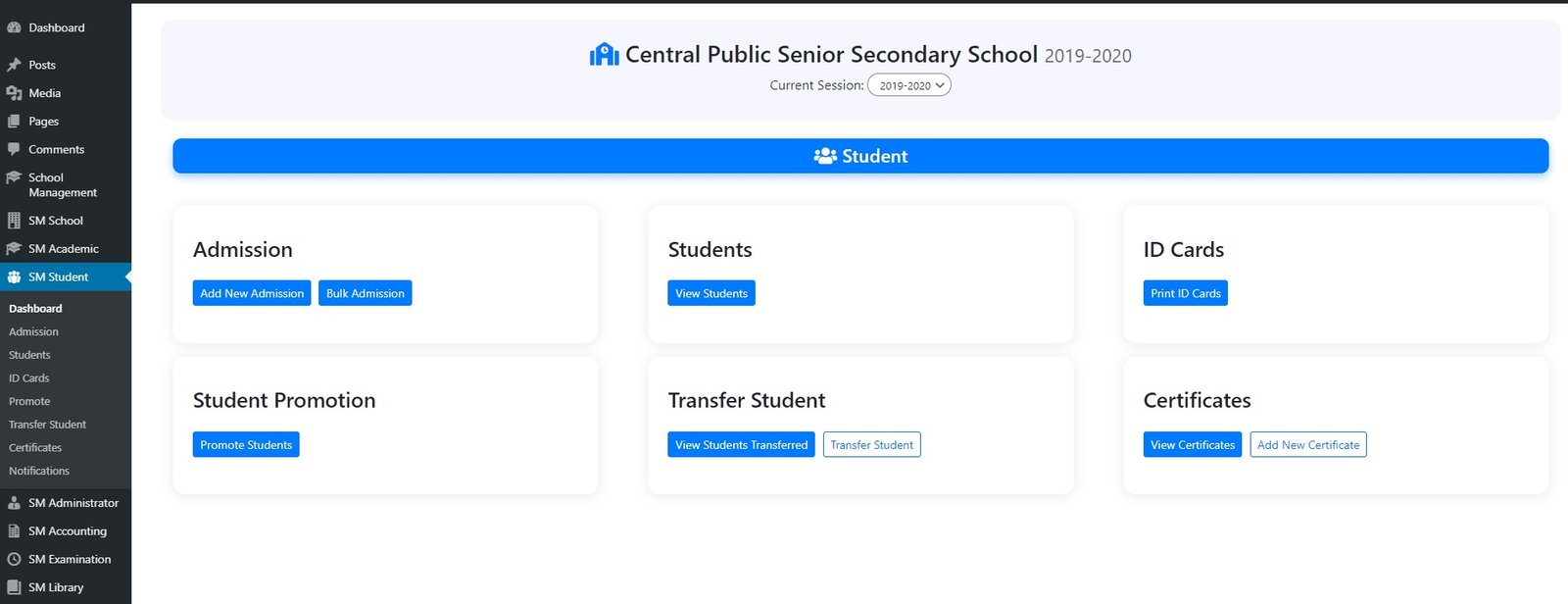
School administrators and staff get a complete bird’s-eye view of the entire school — students, fees, attendance, exams, staff, and reports — from one central dashboard.
What Is the Admin Dashboard?
The Admin Dashboard is the command centre of Sumo ERP. The school’s principal, admin staff, accountant, and management team each get a login with permissions suited to their role. From here, they manage the entire school without a single paper register.
Multiple staff roles are supported — Admin, Accountant, Receptionist, Librarian — each with customised access so they only see what is relevant to them.
What the Admin Can Do
✅ Manage All Students — Add new students, update their class and section, promote them to the next class at year end, or transfer them to another branch. Generate admission numbers automatically.
✅ Set Up Classes, Sections & Subjects — Create the full academic structure of the school — all classes, sections (A, B, C) and subjects — in minutes.
✅ Manage All Teachers & Staff — Add teachers, assign them to classes and subjects, track their attendance, and manage their leave requests.
✅ Session Management — Set up new academic sessions every year. All previous data is preserved and accessible at any time.
✅ Generate All Reports — Attendance reports, fee collection reports, exam result reports, income and expense summaries — all available with date filters and export options.
✅ Publish Results & Notices — When exam results are ready, admin publishes them to student and parent portals with one click. Notices and announcements reach all parents instantly.
✅ Manage Inquiries — Track every admission inquiry from parents. Follow up, convert and enroll students — all from the same system.
✅ Custom Roles & Permissions — Assign different levels of access to different staff members. The accountant sees fees but not academic records. The librarian manages books. You control who sees what.
Leave A Comment