
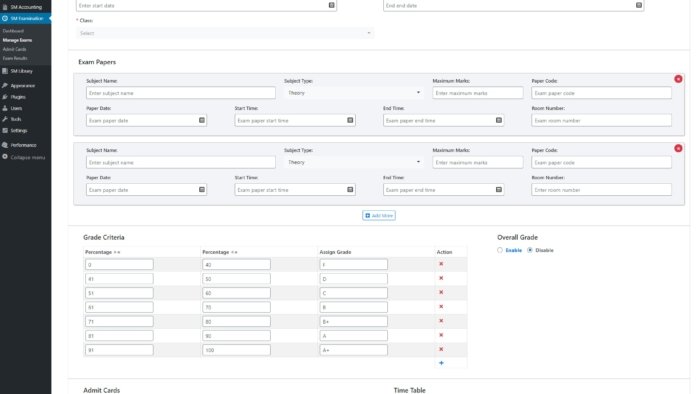
Create exams, publish timetables, generate bulk admit cards, enter results and publish grades online — all from one panel. Students see their results the moment you publish them.
The Complete Exam Lifecycle — Digitised
Managing exams involves dozens of steps: scheduling, timetable design, admit card printing, result entry, grading, and distribution. [Your ERP Name] handles every single step digitally, eliminating printing costs and days of manual work.
What the Exam Module Includes
✅ Create Exams — Name the exam (Mid-term, Final, Unit Test), assign it to classes and subjects, and set dates — all from the admin panel.
✅ Exam Timetable — Build the complete exam timetable for all classes and publish it. Teachers and students see it on their portals instantly. It is also printable as a PDF.
✅ Bulk Admit Card Generation — One click generates admit cards for every student across all classes. Admit cards include the student’s name, class, exam schedule and photo. Students download their own admit card from their portal — no distribution needed.
✅ Result Entry — Teachers enter marks subject-by-subject after the exam. The system accepts maximum marks and calculates grades automatically based on the grading criteria you set.
✅ Automatic Grade Calculation — Define your own grading scale (A+ for 90–100, A for 80–89, etc.) and the system applies it to every student’s results automatically.
✅ Student Ranking — The system calculates and displays each student’s rank in class based on total marks.
✅ Publish Results Online — When results are ready, click “Publish” and every student and parent can see the results on their portal immediately. No paper slips needed.
✅ Academic Reports — Generate class-wise and student-wise academic reports showing marks, grades, attendance percentage, and rank.
✅ Printable Report Cards — Download printable result sheets for individual students or bulk for the entire class.